
FAQ
FAQ
Quick Start Video Guide
WBS and QuickPlan
These two apps (QuickPlan and WBS) are both used for project management:
The major differences:
QuickPlan supports importing a WBS file (.wbs) as a new project, and can also export a project as a WBS file.
How to create a new work element?
You can create a new work element in the chart view.
WBS also supports input in the outline view.
Gestures

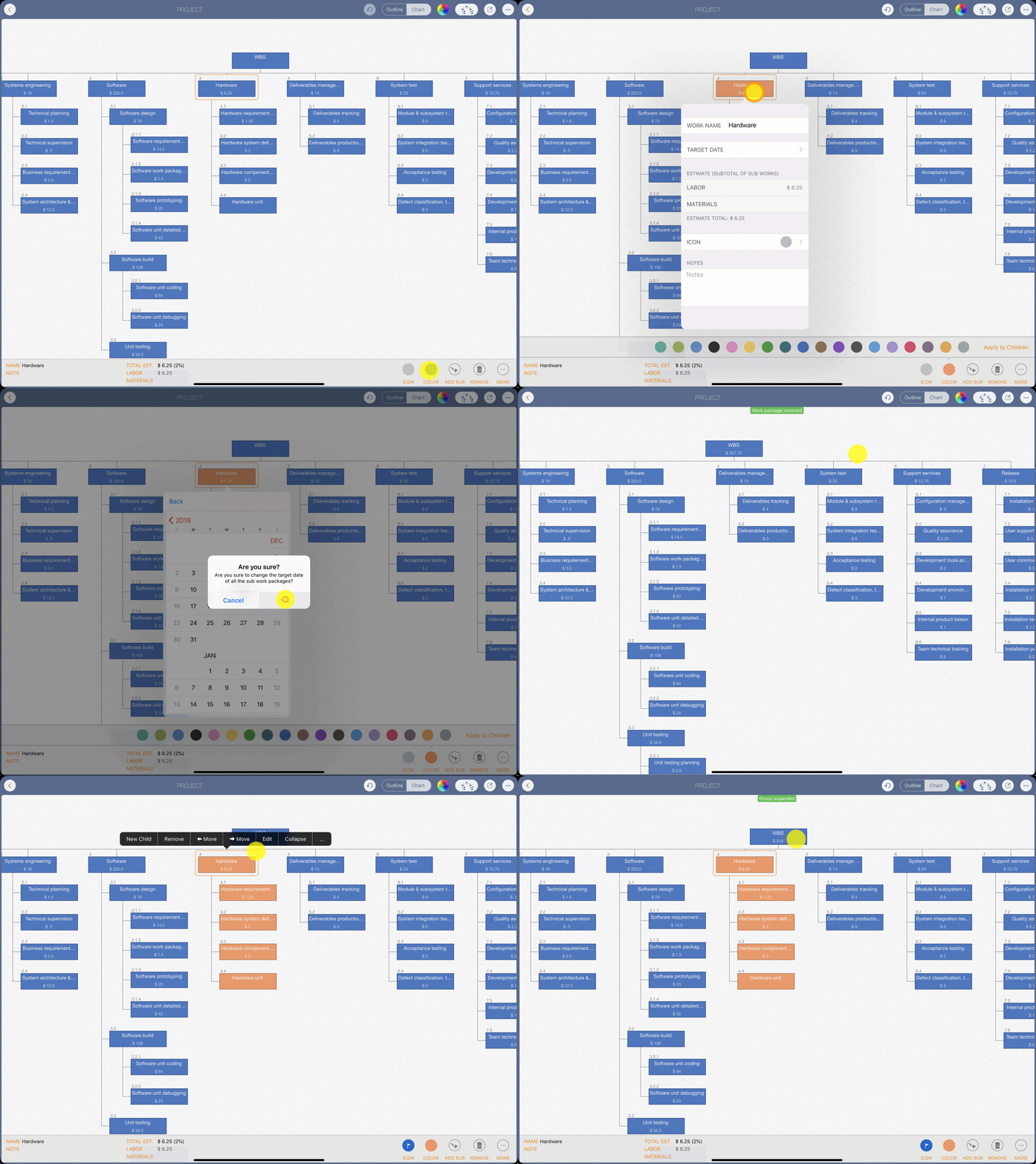
How to create the demo chart in minutes?
Follow the steps we used to create the demo WBS in the user guide video.
Project management
 Planning/2
 Cost & Schedule management/1
 Scope management/1.5
 Task management/0.5
 Project office administration/0.5
 Human resources management/0.5
 Space and facilities planning /0.5
 Risk management/0.5
 Quality management/1
Systems engineering
 Technical planning/1.5
 Technical supervision/0.5
 Business requirements definition/3.5
 System architecture & top-level design/12.5
Software
 Software design
  Software requirement specification/14.5
  Software work package definition/1.5
  Software prototyping/20
  Software unit detailed design/42
 Software build
  Software unit coding/84
  Software unit debugging/24
 Unit testing
  Unit testing planning/3.5
  Unit test case preparation/9
  Unit test conduct/20
  Unit test records/2
Hardware
 Hardware requirements planning/1.25
 Hardware system definition/3
 Hardware component selection/2
 Hardware unit/component testing/12
Deliverables management
 Deliverables tracking/4
 Deliverables production and packaging/9
System test
 Module & subsystem testing/9
 System integration testing/6
 Acceptance testing/2
 Defect classification, tracking & metrics/3
Support services
 Configuration management/0.5
 Quality assurance/2.25
 Development tools and utilities/2
 Development environment upkeep/1
 Internal product liaison/1
 Team technical training/6
Release
 Installation planning/0.5
 User support documentation/3.5
 User communications & training/5
 Installation management & coordination/2.75
 Installation testing and verification/1.75
 Installation performance monitoring/2

Where are my documents stored?
We (the WBS app developer) do not run any servers that store user-generated WBS documents. Users own the WBS documents they create - each WBS document is stored on the user’s device.